
Learn how to draw - ArtWorkout
ArtWorkoutArt & Design
4.55.87K Reviews
- Version
- 0.1.91
- Installs
- 10.00M
- Age Rating
- Everyone 10+
Screenshots
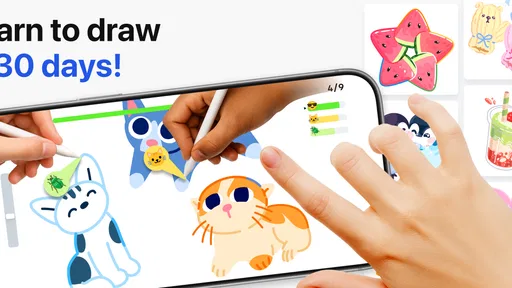
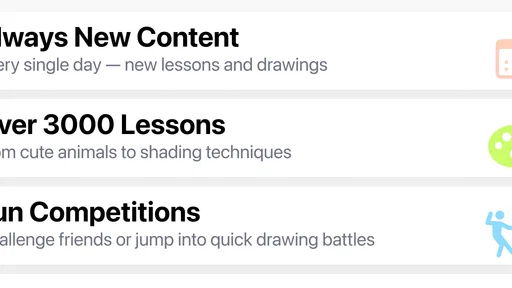
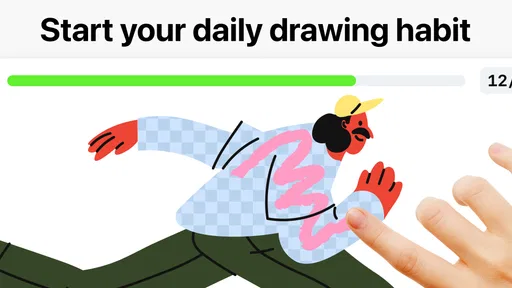
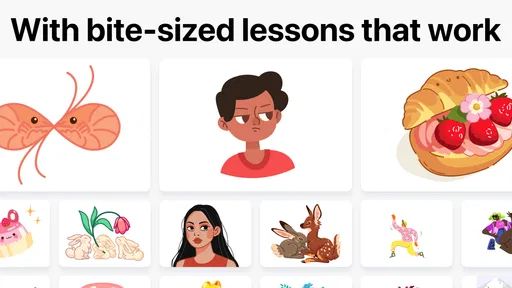


Our Review of Learn how to draw - ArtWorkout
 Analysis by Appyee
I like drawing apps most when they help me get past the blank-page feeling, and Learn how to draw - ArtWorkout is built around that kind of guided start. Rather than opening onto an empty canvas and leaving me to invent a plan, it gives practice a lesson-based shape. That makes it easier to begin in a spare moment, especially if I want to draw but don’t yet know what to work on.
A guided way to build a drawing habit
The key question for a beginner is whether a lesson feels manageable once the pencil is in hand. A sequence of small steps can make a complicated subject less intimidating: I can concentrate on the current mark instead of trying to solve the whole image at once. That structure is useful for short sessions, too. If I have only a little time, I can work through part of a guided exercise without needing to plan a project from scratch.
I would treat the app as a practice companion rather than a complete art course. Guided exercises can help me notice shapes, proportions and the order in which to approach a subject, but lasting progress still comes from drawing beyond the example. A practical habit is to finish a lesson, then try the same subject again from memory or change one detail. That small extra step tests whether I understood the process instead of merely following it.
Who will get the most from it
This is most appealing if you are new to drawing, returning after a long break, or simply looking for a low-pressure way to practise. It can also suit someone who already sketches casually but wants a prompt and a bit of structure when motivation is low. The guided format gives a clear next action, which is often more useful than a large collection of tools when the real obstacle is deciding where to begin.
It is less suited to an artist who already has a specific workflow and mainly wants a flexible digital studio. If your priority is choosing brushes, building a custom canvas setup or developing a polished illustration from a blank screen, a dedicated drawing program may be a better fit. I would also look elsewhere if you want a structured course with detailed theory as its main focus; an interactive exercise is not automatically a substitute for a full lesson in perspective, anatomy or composition.
A realistic way to use it day to day
Imagine having a quiet break after work and wanting to draw without turning it into a major project. I would open a lesson, follow its stages, and stop when my attention runs out rather than forcing a long session. Later, I could repeat the subject more loosely on paper or in another drawing app. That second attempt is a useful test: it shows which parts I can now do independently and which still need practice.
There is a trade-off in that convenience. Guided work keeps me moving, but it can also make me focus on completing the displayed steps instead of making my own choices. To avoid that, I would vary a pose, change a small feature, or sketch the subject from a different angle after finishing. The point is not to reject instruction; it is to use the instruction as a launchpad rather than a tracing routine.
Getting Started with ArtWorkout
When you first open Learn how to draw - ArtWorkout, the interface greets you with a clean and simple design. It’s intuitive enough that you won’t need a manual to get started. You can dive right into the lessons, which cater to all skill levels. Whether you’re a total beginner or someone looking to refine their technique, there’s something here for you.
Features Worth Noting
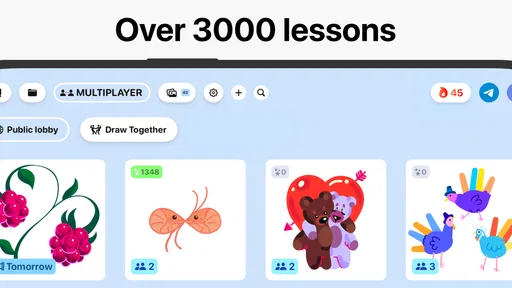
The app is packed with step-by-step tutorials that break down complex drawings into manageable steps. It’s like having a professional artist guiding you through each stroke. The lessons cover a wide range of subjects, from basic shapes to intricate portraits.
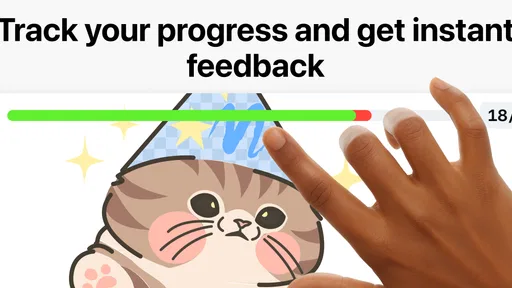
One of my favorite features is the interactive feedback. As you draw, the app provides real-time tips to help you improve. It's like having a personal coach who’s always there to steer you in the right direction.
Why It Stands Out
What really sets ArtWorkout apart is its focus on skill development. It’s not just about copying drawings; it’s about understanding techniques and applying them creatively. The app encourages you to experiment and find your own style, which is a breath of fresh air.
I also love the community aspect. You can share your creations with other users and get inspired by their work. It's a supportive environment that fosters learning and growth.
Room for Improvement
While the app is pretty awesome, it could benefit from more advanced tutorials. Once you’ve mastered the basics, you might find yourself craving more challenging content. But hey, they’re constantly updating, so I’m hopeful for future additions.
Also, some features require a subscription, which might not be ideal for everyone. Yet, the free version offers plenty to get started and decide if it’s worth the investment.
Current version, access and what to watch
ArtWorkout is a free art-and-design app from ArtWorkout, with optional in-app purchases ranging from $4.99 to $59.99 per item. It is rated Everyone 10+, has an average rating of 4.4 from around 247,000 ratings, and has been installed over 10 million times. The current version is 0.1.71, and the app was released on December 16, 2024. It supports devices running Android 8.0 or later.
Those details give me a useful snapshot of the product today, but a version number by itself does not tell me which lessons or tools have changed between releases. I would not assume that a particular course has recently appeared just because the app continues to receive versions. Existing users should check the version shown on their own device when comparing experiences, since app behavior and available content can change as updates arrive.
If you are trying it for the first time, the sensible approach is to explore the free experience before paying. The purchase range is broad enough that I would check the exact item and its terms in the app rather than assume every paid option unlocks the same things. That also answers the practical question of whether you need to subscribe immediately: you can begin without paying, then decide whether the material you actually use justifies a purchase.
How it compares with other ways to draw
Compared with a blank-canvas art app, this one puts instruction and momentum ahead of total control. That is a real advantage for a beginner who wants a next step, but a limitation for someone who already knows what they want to make. A video tutorial can explain a technique at length, while a paper sketchbook gives you freedom without prompts; the app’s appeal is the more hands-on middle ground of following a drawing exercise and responding as you go.
There are also two practical ways to use it alongside other tools. If you like the guidance but prefer a physical pencil, use the lesson as a reference and do the drawing on paper. If you prefer digital drawing, use the exercise to practise a particular subject, then move to a flexible art app when you want to turn that practice into a finished piece. This division keeps the learning task from being confused with the separate job of producing a polished illustration.
Small choices that make practice more useful
One helpful adjustment is to slow down at the parts that feel awkward instead of treating every step as equally important. If a portrait is difficult, for example, I would pay attention to how its larger shapes relate before worrying about tiny details. Then I would repeat only the troublesome section, rather than restarting the entire exercise each time. That is a more focused use of a guided lesson than racing to finish it.
Another useful check is to compare the result with the reference only after trying a stage independently. Looking constantly can turn practice into imitation; looking after a genuine attempt makes it easier to see what I missed. I would also keep a few sketches, even imperfect ones, so I can judge progress by changes in control and confidence rather than by whether each drawing looks impressive.
Limits worth weighing before you commit
Interactive feedback can make practice feel responsive, but it should not be treated as the final judge of whether a drawing works. A prompt can help me correct a particular move, while artistic decisions such as mood, emphasis and personal style still need my own eye. If the feedback feels distracting or conflicts with what I am trying to make, I would use it as a suggestion and continue experimenting rather than obeying it automatically.
The other limitation is the natural ceiling of guided content. Repeating lessons can strengthen fundamentals, but an artist looking for advanced, open-ended projects may eventually want more freedom or deeper instruction. That is not a reason for a beginner to avoid the app; it is a reason to see it as one stage in a wider routine. If your main goal is independent illustration from day one, a blank canvas and a dedicated course may serve you better.
Deciding whether it fits your routine
For me, the strongest reason to try ArtWorkout is that it makes starting feel less demanding. The free entry point lets a curious beginner test the guided approach before deciding whether paid access is worthwhile, while the drawing exercises offer a clear alternative to browsing tutorials without ever picking up a pencil. The main thing to judge is not how many lessons you can finish, but whether the format helps you practise regularly and learn something you can carry into your own sketches.
Overall, Learn how to draw - ArtWorkout is a fantastic tool for anyone looking to improve their drawing skills. It’s easy to use, engaging, and genuinely helpful. Whether you’re drawing for fun or aiming to become the next big thing in the art world, this app is a solid companion on your creative journey. Give it a go, and who knows? You might just discover a hidden talent.
Privacy and Permissions
See what permissions an app requests and how it handles your data.
- Photos/Media/Files
- read the contents of your USB storage, modify or delete the contents of your USB storage
- Storage
- read the contents of your USB storage, modify or delete the contents of your USB storage
- Wi-Fi connection information
- view Wi-Fi connections
- Other
- view network connections, full network access, control vibration, prevent device from sleeping, Google Play license check
Verdict
Strengths of Learn how to draw - ArtWorkout
- Comprehensive tutorials for all skill levels.
- User-friendly interface with intuitive navigation.
- Includes various art styles and techniques.
- Regular updates with new content.
- Offline mode available for uninterrupted learning.
Limitations of Learn how to draw - ArtWorkout
- Requires in-app purchases for premium content.
- Limited community interaction features.
- Occasional ads in the free version.
- Some tutorials may be too basic for advanced users.
- No option for live feedback from instructors.
Similar Picks in This Category
View All
Canva: AI Photo & Video Editor
Canva4.8

PENUP – Drawing-sharing SNS
Samsung Electronics Co., Ltd.4.5

Crafto
Kutumb App4.6

Sketchbook
Sketchbook4.1

ibis Paint X
ibis inc.4.5

Adobe Express: AI Photo, Video
Adobe4.6
Frequently Asked Questions
What features does ArtWorkout offer for learning how to draw?
ArtWorkout provides a variety of features designed to help users improve their drawing skills. These include step-by-step tutorials, interactive exercises, and a wide range of drawing tools. The app offers lessons for different skill levels, from beginner to advanced, and covers various styles and techniques.
Is ArtWorkout suitable for beginners and experienced artists alike?
Yes, ArtWorkout is designed to cater to both beginners and experienced artists. For beginners, it offers easy-to-follow tutorials and basic drawing exercises. Experienced artists can benefit from more advanced lessons and challenges that help refine their skills and explore new techniques.
Does ArtWorkout require an internet connection to use?
ArtWorkout can be used both online and offline. While you need an internet connection to download the app and access certain features, such as updates and community content, many lessons and exercises are available offline once they have been downloaded to your device.
Are there any in-app purchases or subscription fees for ArtWorkout?
ArtWorkout offers a free version with basic features, but there are in-app purchases available for additional content and tools. Users can opt for a subscription to access premium features, including exclusive tutorials, advanced drawing tools, and personalized feedback from expert artists.
How does ArtWorkout support user progress and feedback?
ArtWorkout tracks user progress through a personalized dashboard that shows completed lessons and skill improvements. Users can also participate in community challenges and receive feedback from other artists. For subscribers, the app offers personalized feedback from professional artists to help users refine their skills.
